Create distribution packages for assets
It is a common practice in CARLA to manage assets with standalone packages. Keeping them aside allows to reduce the size of the build. These asset packages can be easily imported into a CARLA package anytime. They also become really useful to easily distribute assets in an organized way.
- Export a package in a CARLA build from source
- Export a package using Docker
- Import assets into a CARLA package
Export a package in a CARLA build from source
Once assets are imported into Unreal, users can generate a standalone package for them. This will be used to distribute the content to CARLA packages such as 0.9.8.
To export packages, simply run the command below.
make package ARGS="--packages=Package1,Package2"
This will create a standalone package compressed in a .tar.gz file for each of the packages listed.
Exporting a specific map as a package
To export a custom map as an independent content package, we use the make package command. Identify your custom map's location in the CARLA content directory through the Unreal content browser. We recommend creating your custom maps in with the existing CARLA maps in the Content > Carla > Maps directory. In this case, we are storing the map in its own folder named MyMap.
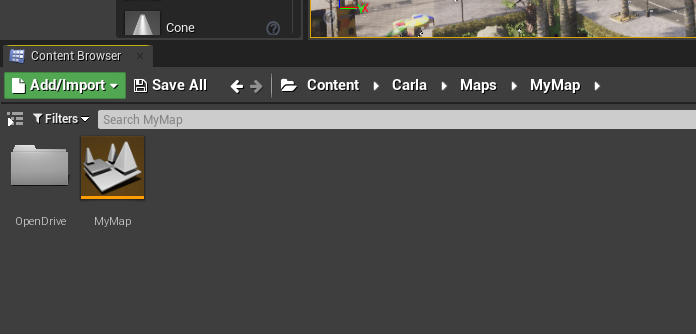
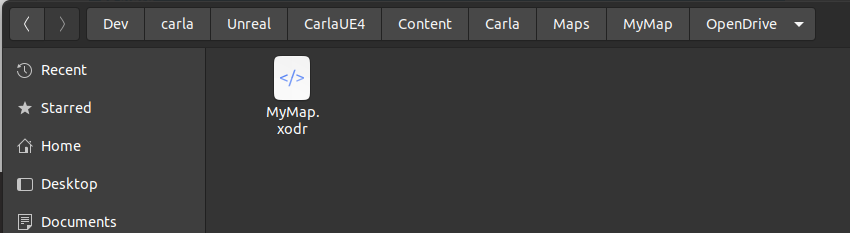
Remember that the map needs an associated OpenDRIVE file stored inside a directory named OpenDrive at the same level as the map asset (.umap file). The OpenDRIVE file should have the same name as the map itself with the .xodr extension. In this example I have named the map MyMap (the file will appear as MyMap.umap in a file browser), therefore my OpenDRIVE file is named MyMap.xodr.
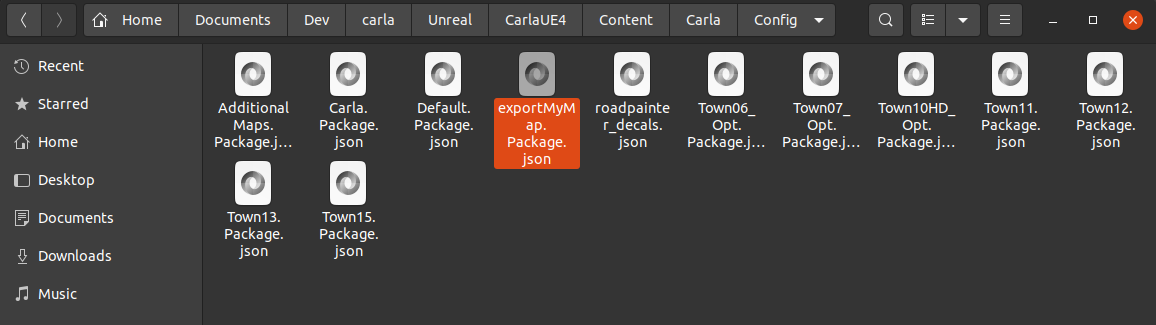
Now we need to create a package config JSON file for the export process. In a file browser (not the Unreal content browser) navigate to CARLA_ROOT/Unreal/CarlaUE4/Content/Carla/Config. Inside this directory, you will see a number of JSON config files. Open a new one with a name corresponding to your map and the suffix .Package.json. In this case we name the file exportMyMap.Package.json.
The JSON file should have the following structure:
{
    "props": [],
    "maps": [
        {
            "name": "MyMap",
            "path": "/Game/Carla/Maps/MyMap",
            "use_carla_materials": true
        }
    ]
}
The name parameter should be the same as the name of your map asset file (without the .umap suffix). Ensure that the path parameter points to the correct directory location of your map asset (.umap file). The first part of the path CARLA_ROOT/Unreal/CarlaUE4/Content/ should be replaced with /Game/.
Now we call the make package command from a terminal in the CARLA_ROOT directory, with the following argument:
make package ARGS="--packages=exportMyMap"
The value of the argument --packages should match the name of the JSON configuration file without the .Package.json suffix. The package may take some time to build, depending on the size of the map.
When the export process is finished, the exported map package will be saved as a compressed archive:
- Linux:
.tar.gzarchive in theCARLA_ROOT/Distdirectory - Windows:
.ziparchive in theCARLA_ROOT/Build/UE4Carladirectory
The map package must be built using the target operating system. I.e. a map package built in Linux cannot be imported into a CARLA package for Windows.
To import the packaged map into a packaged version of CARLA, place the .tar.gz or .zip archive into the CARLA_ROOT/Import directory of an extracted CARLA package then run the ImportAssets.bin/.sh script. Once this is finished, launch CARLA and you will find the new custom map in the list of available maps.
Export a package using Docker
Unreal Engine and CARLA can be built in a Docker image which can then be used to create a package or export assets for use in a package.
To create the Docker image, follow the tutorial here.
When you have the image ready:
- Navigate to
Util/Docker. - Create a CARLA package or prepare assets for use in a package by running one of the following commands:
# To create a standalone package
./docker_tools.py --output /output/path

#To cook assets to be consumed in a CARLA package
./docker_tools.py --input /assets/to/import/path --output /output/path --packages PkgeName1,PkgeName2
Import assets into a CARLA package
A standalone package is contained in a .tar.gz file. The way this is extracted depends on the platform.
- On Windows extract the compressed file in the main root CARLA folder.
- On Linux move the compressed file to the
Importfolder and run the following script.
cd Import
./ImportAssets.sh
Note
Standalone packages cannot be directly imported into a CARLA build. Follow the tutorials to import props, maps or vehicles.
That sumps up how to create and use standalone packages in CARLA. If there is any unexpected issue, feel free to post in the forum.